Plugin Explanation
This section provides detailed explanations of the various plugins and components available in the QWR Unity SDK for VROneEdu.
Player Plugin
Development Environment:
- Unity version: 2019.4.17 or later versions
- QWR SDK version: 0.8.1 (beta)/0.8.1b
Function Description:
Usage Limitation
When using in Unity, you need to uncheck "Multithreaded Rendering" in Unity's PlayerSettings.
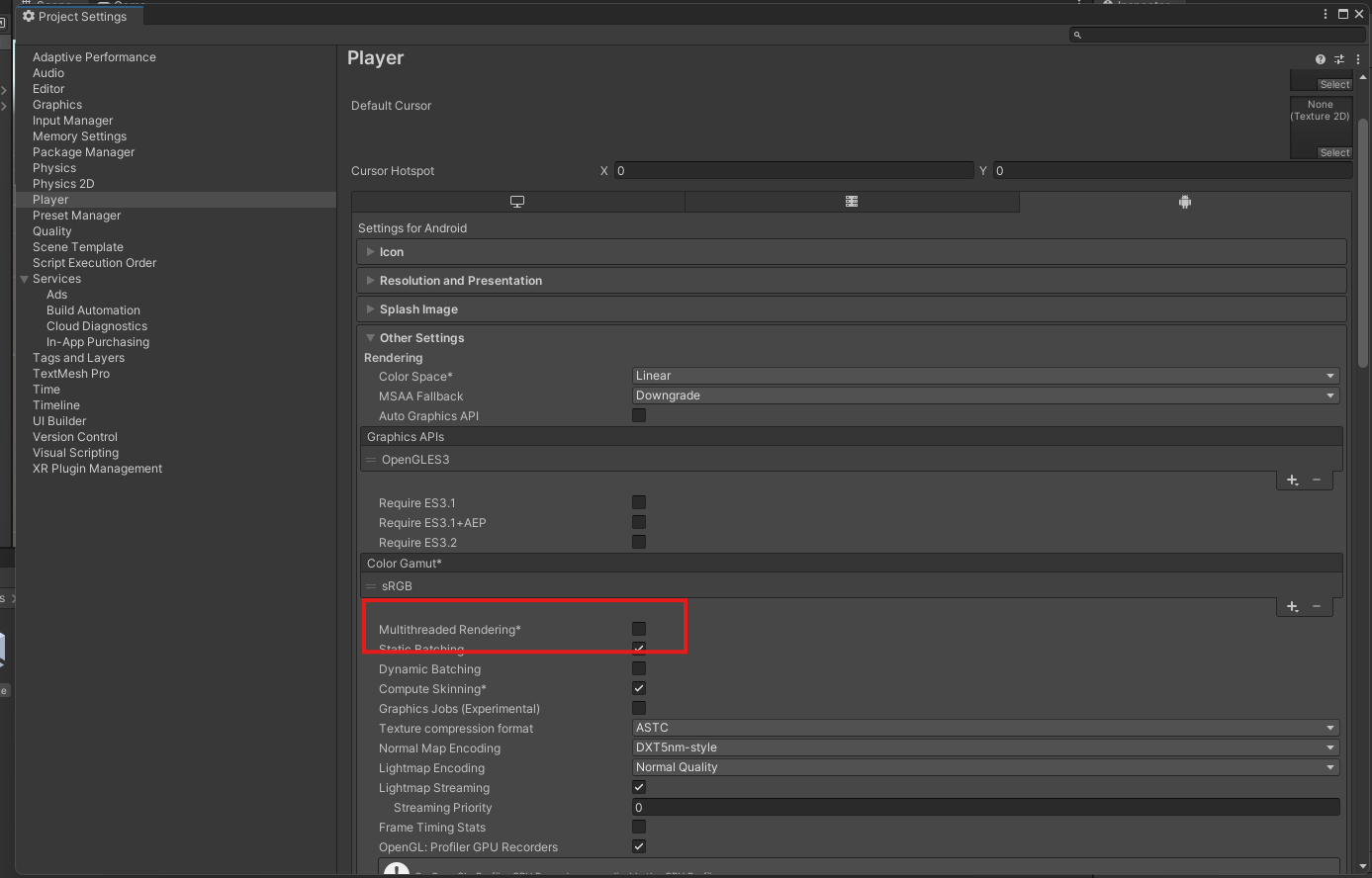
Setup Instructions
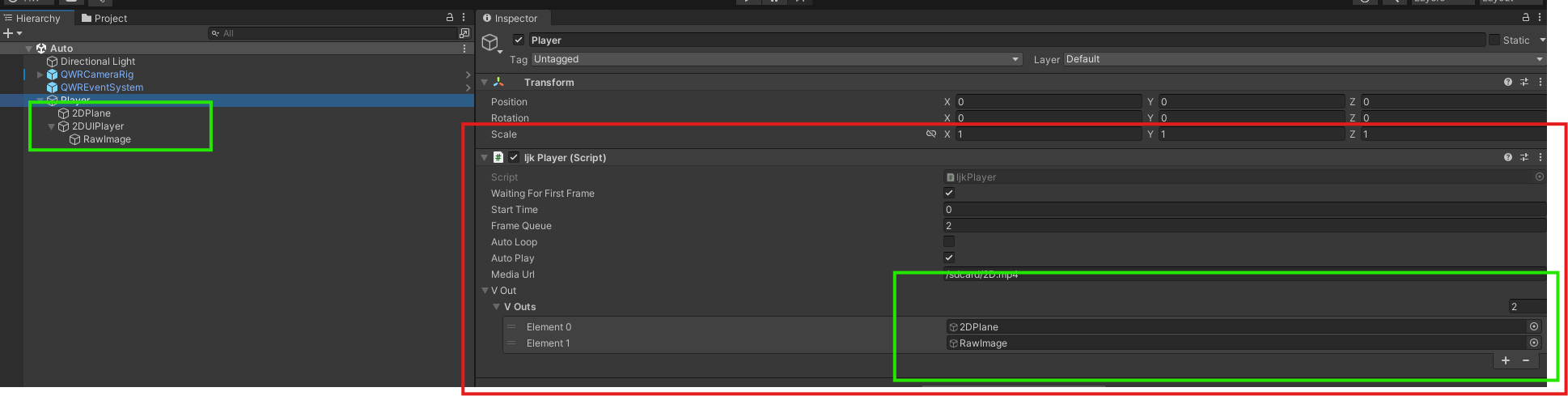
- Enable AutoPlay: Check "AutoPlay," provide the video URL with "MediaUrl," and specify the video display container with "VOuts."
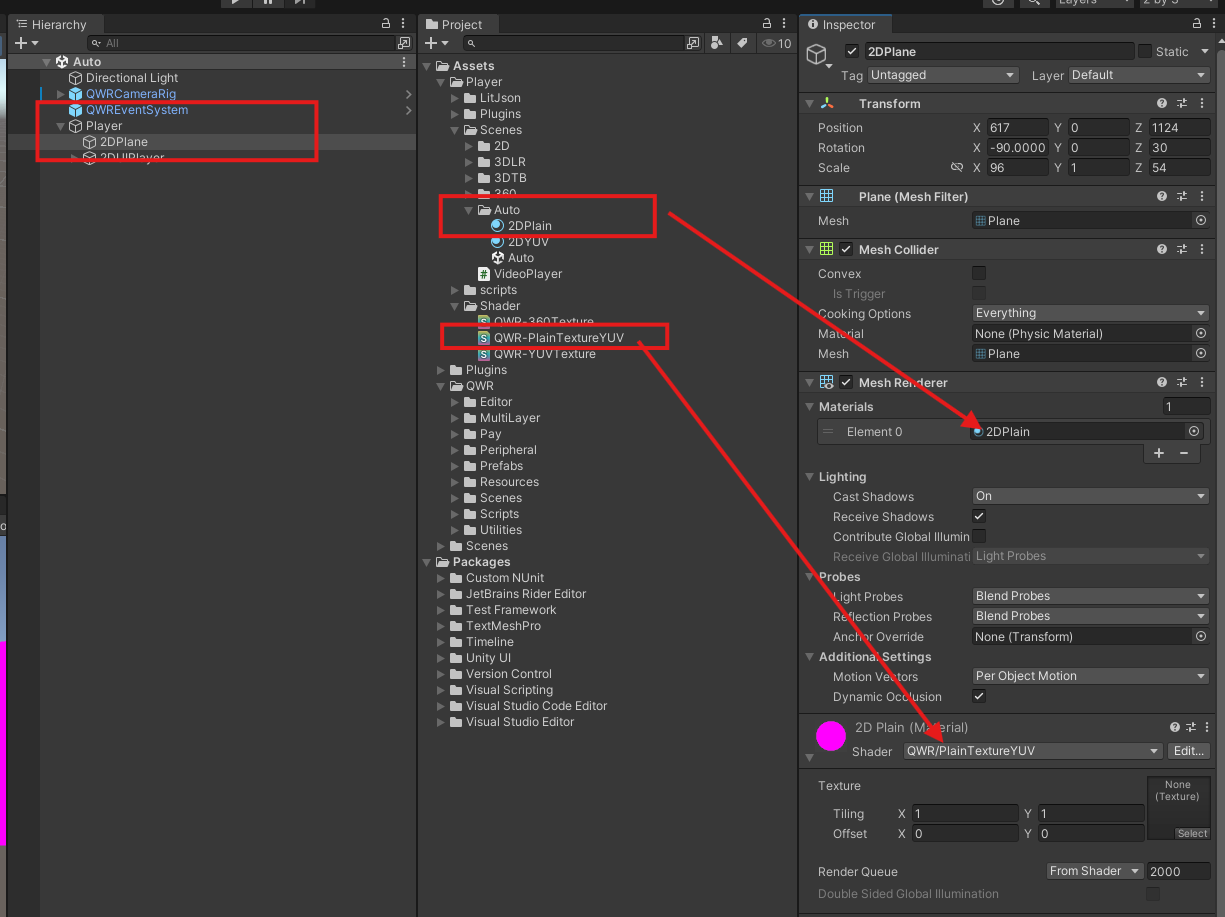
- Configure Materials and Shaders: The video display container requires adding materials and shaders. It can be displayed on a Plane or RawImage by adding different shaders.
- Add Scripts: Add a script and attach it to the respective video container. For auto playback, uncheck parameters and input values.
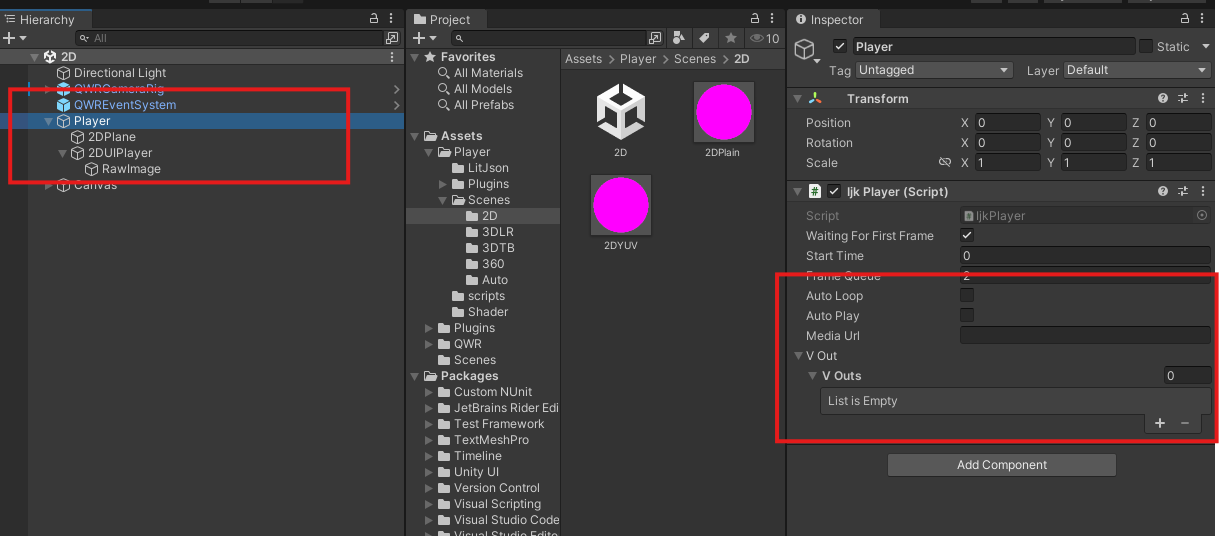
- Create Control Script: Create a new script to control video playback and add the display container.

Function Description
The Player Plugin supports comprehensive video playback functionality:
- Duration Retrieval: Supports retrieving the total duration of the video and the current progress of the video
- Playback Control: Supports controlling video playback and pause
- Progress Adjustment: Supports adjusting the video playback progress
- Restart Functionality: Supports restarting the video from the beginning
Parameters
| Parameter | Effect |
|---|---|
videoUri | The URL of the video |
tim | The start time of the video, default is 0 |
OnPreparedCallback | Callback for when the video is prepared |
player.Duration | Get the total duration of the video |
player.Current | Get the current progress of the video |
player.Pause() | Pause the video |
player.Resume() | Resume playing the video |
player.Seek(tim) | Adjust the video progress, start playing from the beginning if tim=0 |
Implementation Example
using QWR.Player;

public class VideoPlayerController : MonoBehaviour
{
    public string videoUri;
    public float startTime = 0f;

    private QWRPlayer player;

    void Start()
    {
        // Initialize the player
        player = GetComponent<QWRPlayer>();
        player.videoUri = videoUri;
        player.tim = startTime;

        // Set up callback
        player.OnPreparedCallback = OnVideoPrepared;
    }

    void OnVideoPrepared()
    {
        Debug.Log("Video prepared. Duration: " + player.Duration);
    }

    public void PlayVideo()
    {
        player.Resume();
    }

    public void PauseVideo()
    {
        player.Pause();
    }

    public void SeekToTime(float time)
    {
        player.Seek(time);
    }

    public void RestartVideo()
    {
        player.Seek(0);
    }
}
Best Practices
Performance Optimization
- Use appropriate video formats for mobile VR (H.264, VP8)
- Consider video resolution based on target device capabilities
- Implement proper memory management for video textures
User Experience
- Provide clear visual feedback for video controls
- Implement smooth seeking with progress indicators
- Handle network connectivity issues gracefully
Educational Applications
- Use video content to enhance educational experiences
- Implement interactive elements synchronized with video playback
- Create assessment features based on video viewing progress
Troubleshooting
Common Issues
- Video not playing: Check that "Multithreaded Rendering" is unchecked in Player Settings
- Poor video quality: Verify video format and resolution compatibility
- Audio issues: Ensure proper audio codec support
Debug Tips
- Use Unity's Profiler to monitor video playback performance
- Check console logs for video preparation callbacks
- Test with different video formats and resolutions
The Player Plugin provides powerful video playback capabilities essential for creating rich multimedia VR experiences in educational applications.